Pour-over & brew timer for iPhone
One pour
One pour
at a time.
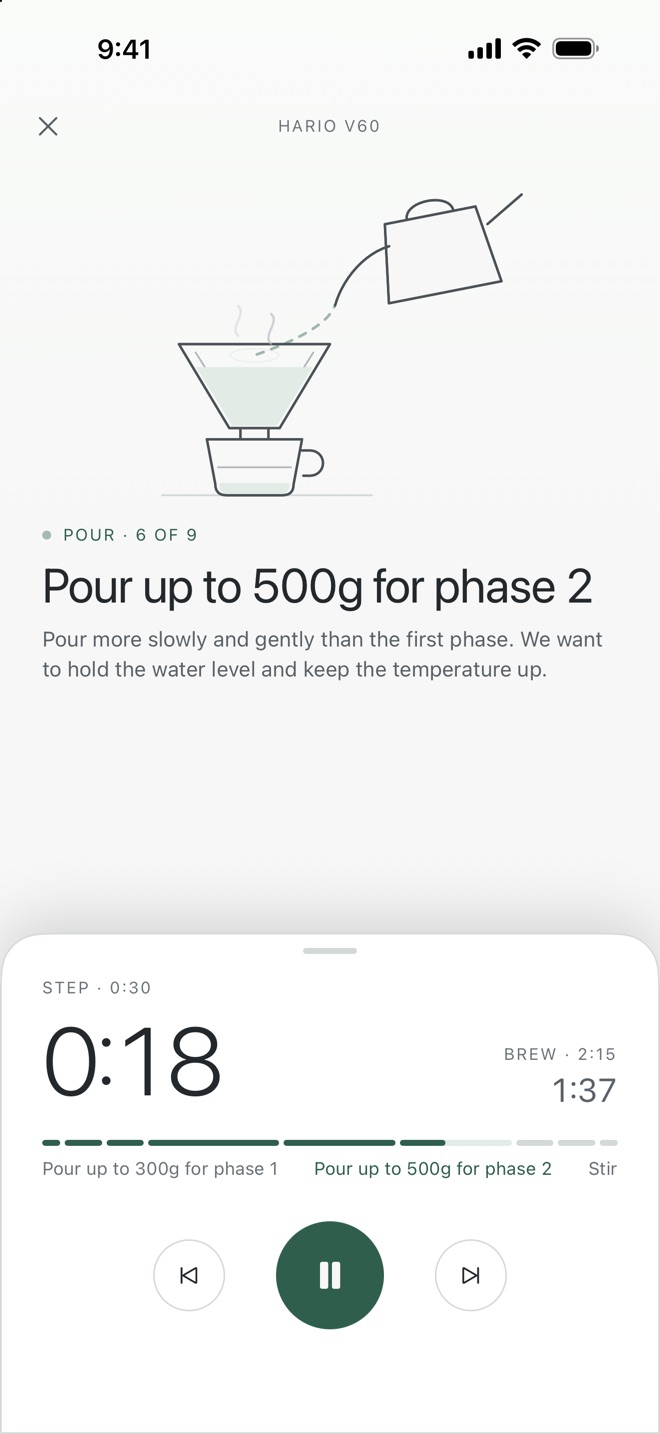
Birch walks you through a brew step by step: a clock for each step, a clock for the whole brew, and a small line drawing that shows what your hands should be doing.
Coming soon to the App Store- Free
- No account
- No ads
Recipes to start from,
timed to the second.
-
French PressA long steep and a slow press4:20Easy
-
AeroPressFull immersion, then a gentle press3:30Easy
-
Hario V60The bright, honest pour-over2:15Involved
-
ChemexA carafe of clean, tea-like coffee6:00Involved
-
Stagg XPour-over with the guesswork removed1:45Moderate
How it works
Set it once, then follow along.
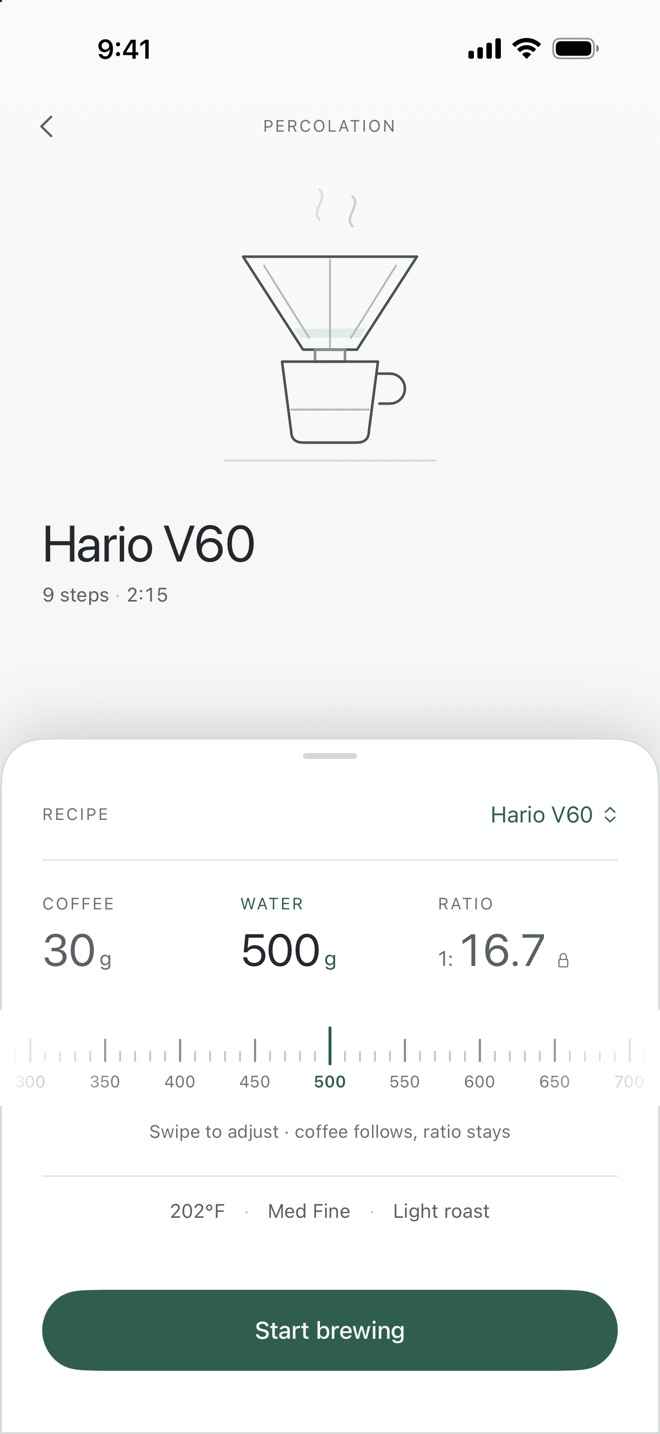
One swipe sets the dose
Swipe the gauge to set your water, coffee or ratio, and the rest follows. Every pour target in the recipe updates with your dose.
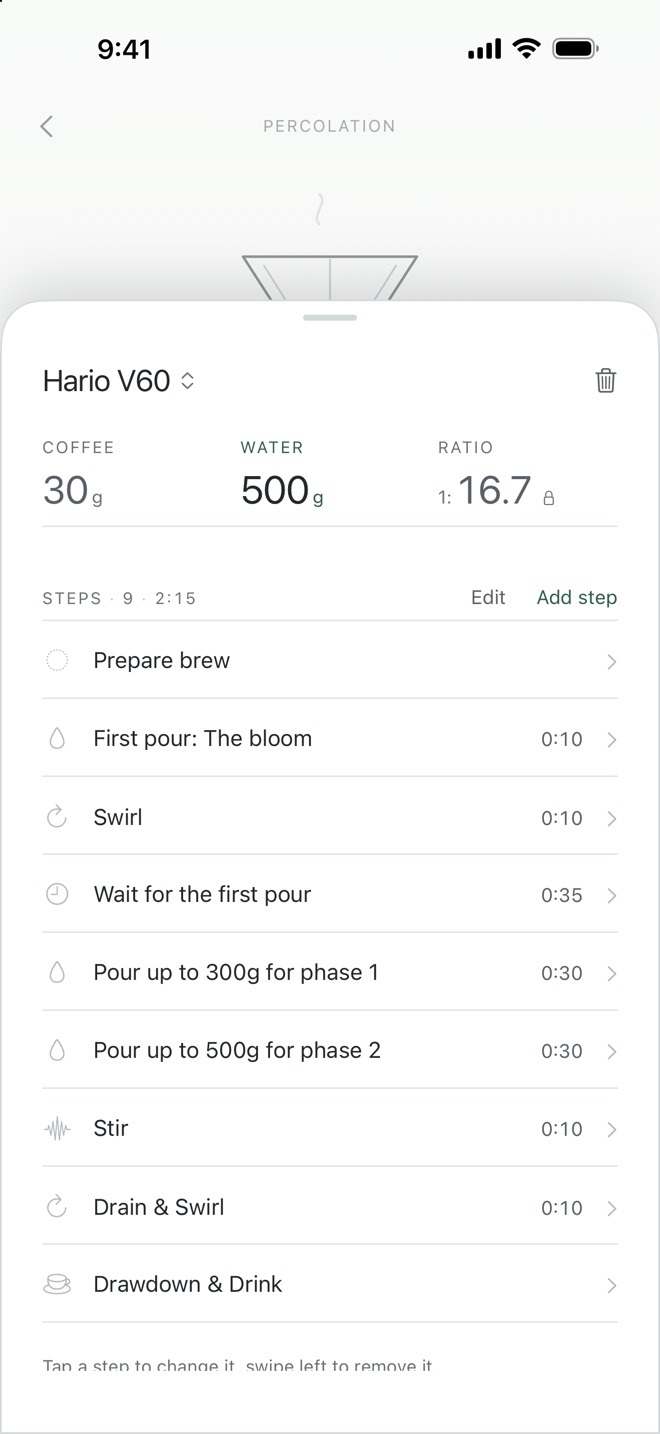
Make it yours
Change a step's length, pour or wording. Add steps, drag them into a new order, and save the recipe under your own name.
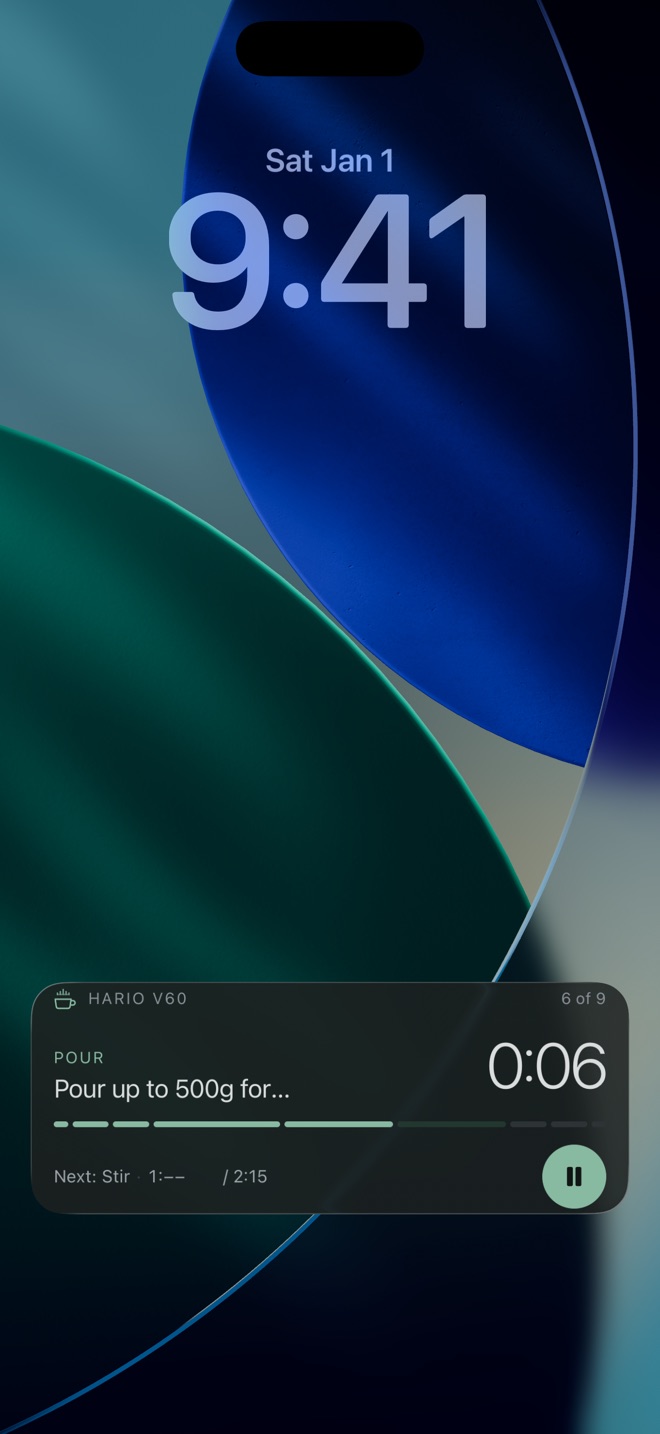
Lock the phone, keep brewing
The brew runs on your lock screen and in the Dynamic Island, with pause right there. A sound marks each new step.
Quiet by design
No account. No ads. No tracking.
Nothing leaves your phone.